Continuing on another device
Save on the original device
- Exit the game and create a snapshot.
- Confirm that the file has uploaded. Cloud Backup and Multi-device Sync upload new snapshots automatically.
Continue on the new device
- Connect to the same Cloud Library and set the game's save locations on this device.
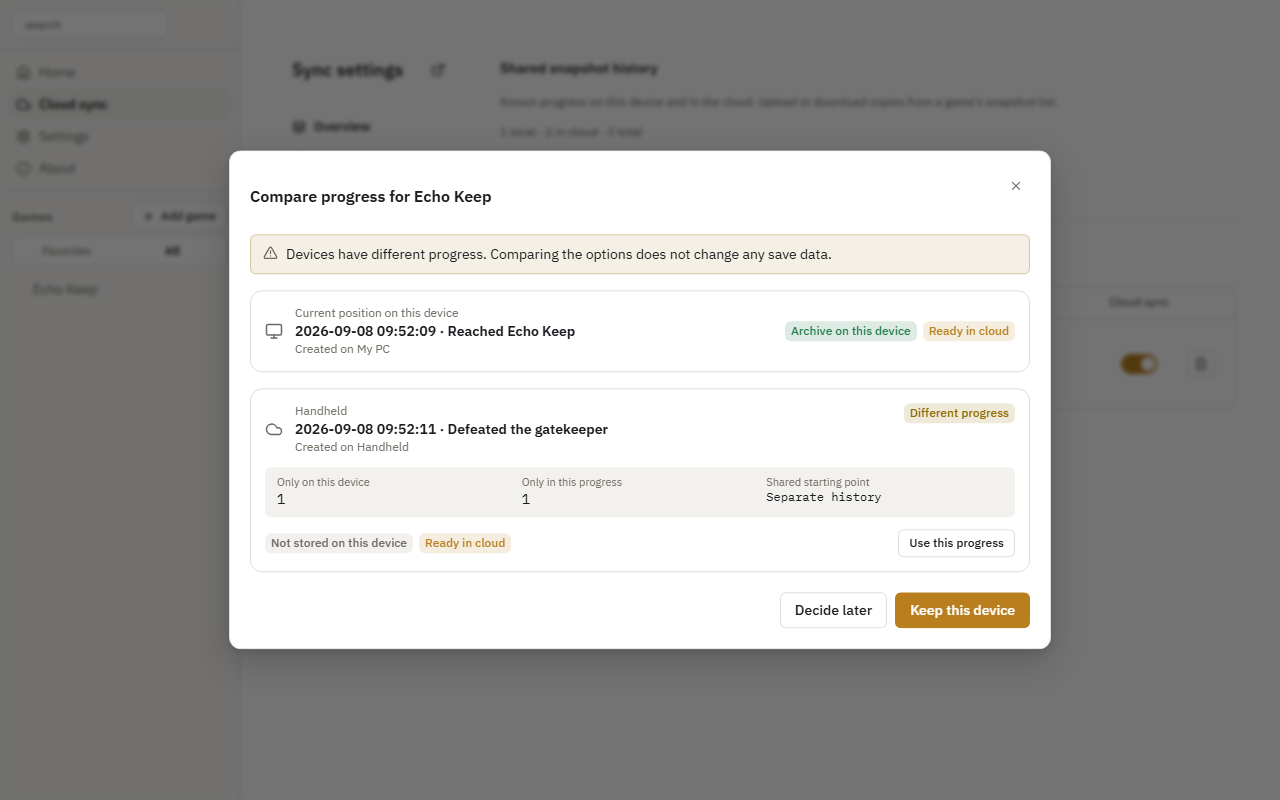
- Open Cloud sync and click the game's Compare progress action.
- Find the snapshot you want, click Use this progress, and confirm.
- Wait for the restore to finish, then start the game.
Keep the game closed while applying progress. The application downloads and verifies the snapshot, then creates a safety backup of the existing local save.
Both devices have new progress
Review descriptions and branch relationships in the comparison dialog. Choose Keep this device or Use this progress, or select Decide later.