Getting started
Game Save Manager backs up, restores, and syncs game saves. This guide covers the 1.9 series.
Download
- Stable release: recommended for everyday use, currently 1.8.
- Development build: try upcoming features.
On Windows, use the installer or extract and run the portable build. The portable build requires the WebView2 Runtime.
Before updating an older version, read Upgrading to 1.9.
Add a game
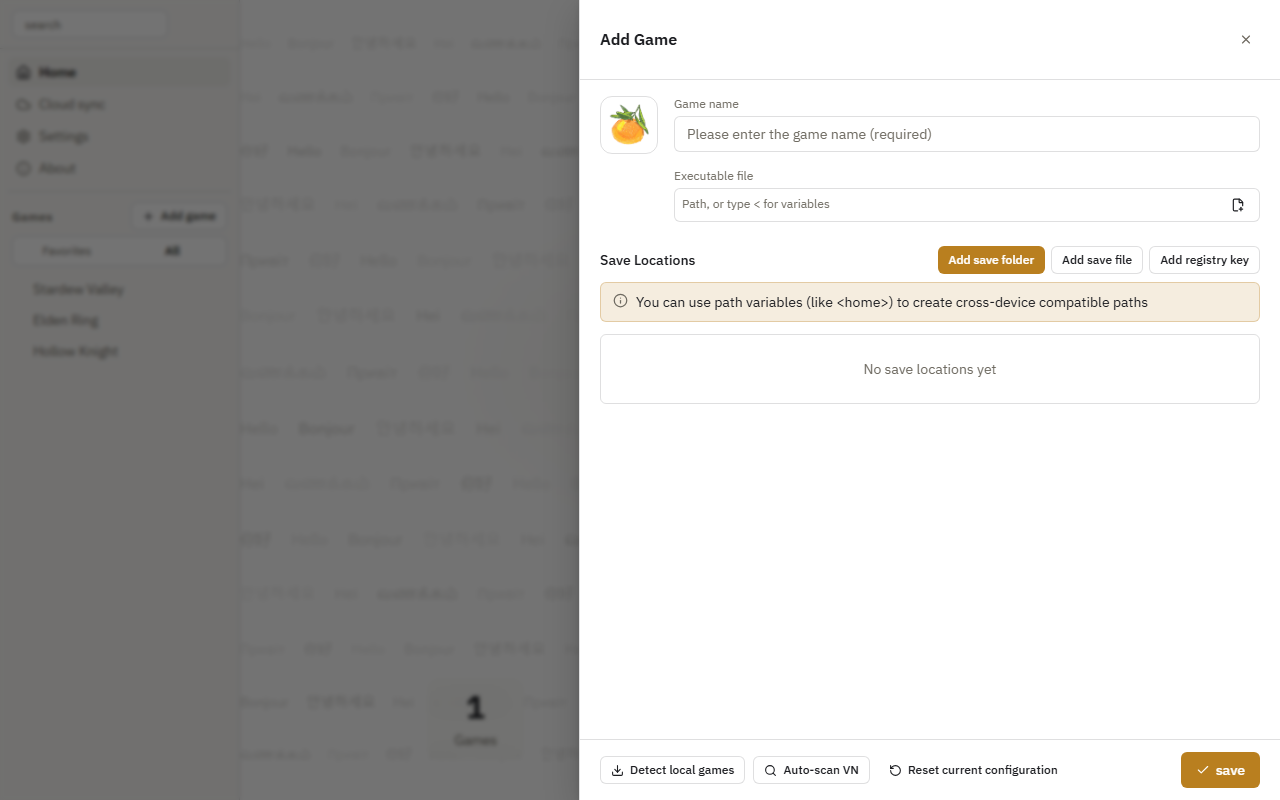
Click Add game in the sidebar, enter a name, and choose the save locations, or use Detect local games. The game executable is optional.
Save your progress
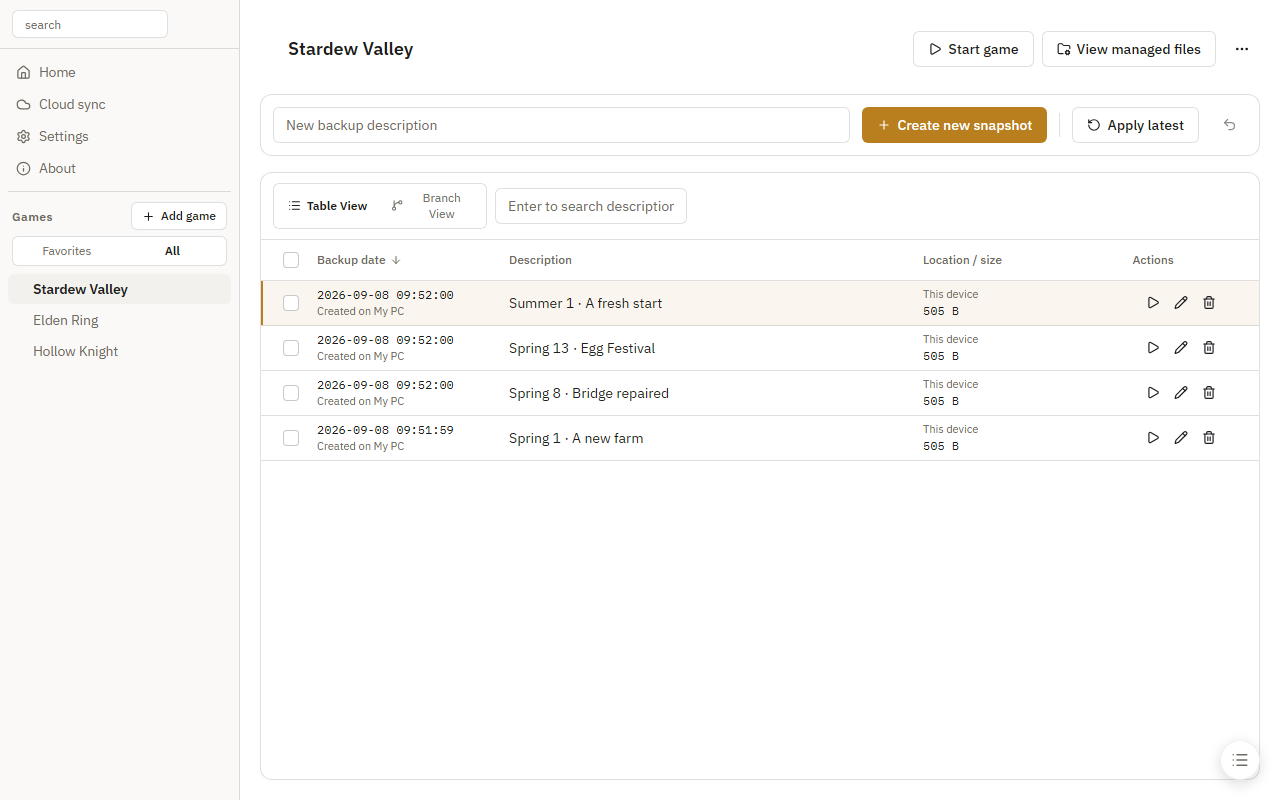
Select a game in the sidebar, enter a description, and click Create new snapshot.
Restore a save
Exit the game, then click Apply beside a snapshot or Apply latest at the top.
An extra backup is kept before restoring by default, so you can recover the save that was replaced.
Next, set up automatic backups, quick actions, or cloud sync.